
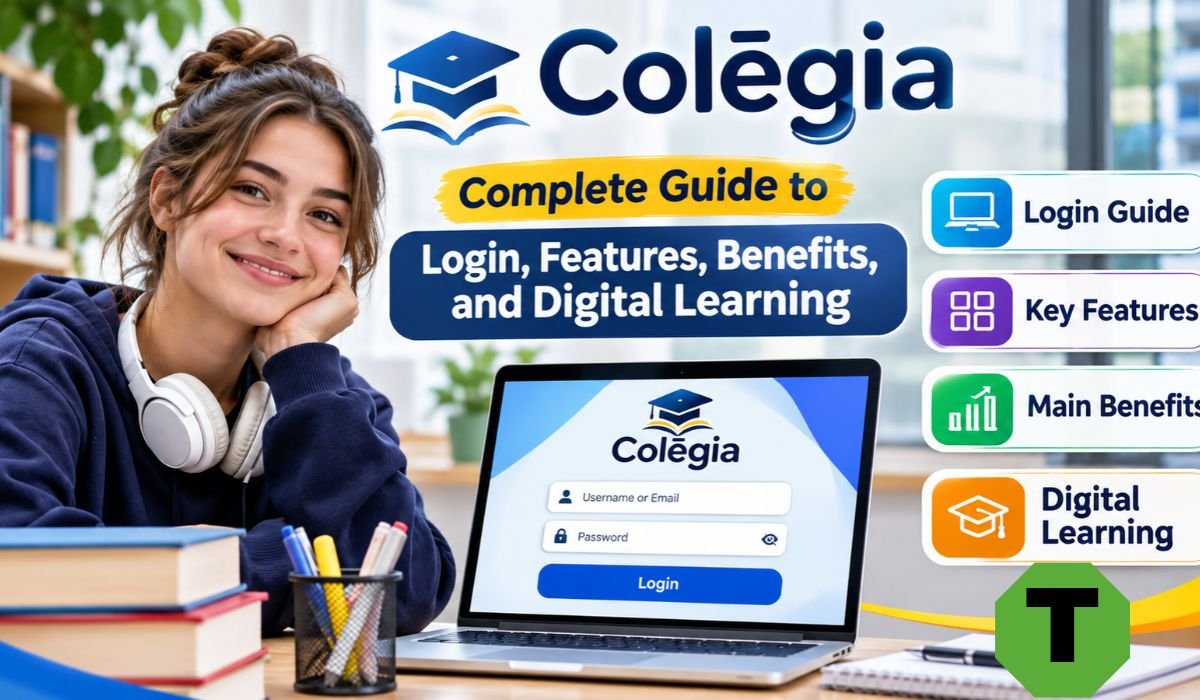
Education is no longer limited to textbooks, classrooms, and handwritten assignments. Today, students use online learning tools, teachers share digital resources, and parents rely on technology to stay connected with schools. However, managing different educational websites and applications can sometimes feel confusing. That’s where Colēgia comes in.
Colēgia is a digital education platform designed to bring important school resources together in one convenient place. Instead of switching between several websites, students can access supported learning applications, classroom information, and communication tools through a centralized dashboard. Teachers can connect with their school communities, while parents may access important academic updates through supported accounts.
Whether you’re a student trying to complete assignments, a parent checking school information, or a teacher organizing digital resources, understanding Colēgia can make everyday school activities easier. This complete guide explains how the platform works, its main features, login process, benefits, mobile accessibility, and common problems users may encounter in 2026.
What Is Colēgia?
Colēgia is a Digital Education Operating System (dēOS) that connects students, teachers, parents, and school administrators through an online learning environment. The platform is associated with Academica and is designed to make educational technology more accessible and organized. Rather than replacing every learning application, Colēgia acts as a central access point for services approved by participating schools. These may include Google Classroom, IXL, i-Ready, and other educational tools. Its main purpose is to reduce the confusion that comes from managing several separate platforms. Colēgia can support traditional classroom instruction, online education, and hybrid learning arrangements. However, it is important to understand that available features depend on each school’s setup, subscriptions, and account permissions.
Colēgia Quick Bio Information
The following quick-reference table summarizes the platform’s important details.
| Information | Details |
|---|---|
| Platform Name | Colēgia |
| Platform Type | Digital Education Platform |
| System Category | Digital Education Operating System |
| Abbreviation | dēOS |
| Associated Organization | Academica |
| Primary Purpose | Centralized Access to School Resources |
| Main Users | Students, Teachers, Parents, Administrators |
| Official Website | www.colegia.org |
| Account Access | School-Authorized Credentials |
| User Identification | ColēgiaID or Supported School Email |
| Main Interface | Personalized Dashboard |
| Learning Resources | School-Approved Educational Applications |
| Classroom Support | Traditional, Online, and Hybrid Learning |
| Communication | Supported School Messaging and Updates |
| Parent Access | Available Through Supported Accounts |
| Mobile Access | Mobile Application and Compatible Browsers |
| Third-Party Tools | May Include Google Classroom, IXL, and i-Ready |
| Account Recovery | Available Options or School Technical Support |
| Feature Availability | Depends on School Configuration |
| Internet Requirement | Generally Required for Online Services |
How Does Colēgia Work?
Colēgia works by connecting users to educational services through a personalized digital dashboard. When students sign in using authorized credentials, they can see applications and resources assigned by their school. Instead of remembering separate website addresses, they can begin from one familiar location. Some connected applications may support simplified sign-in, although authentication requirements vary between services. Teachers and administrators may receive different access permissions based on their responsibilities, while parents can use supported account features to follow school information. This role-based approach helps schools organize digital resources for different users. Colēgia does not automatically provide every educational tool; schools decide which services are available. Understanding this distinction is important because two students attending different schools may see different applications even when both use the same platform.
Key Features of Colēgia
One of the most useful Colēgia features is its centralized dashboard, which helps users locate educational applications without searching through multiple websites. The platform also supports communication within participating school communities, making it easier to access relevant announcements and messages. Depending on the institution, users may find links to classroom tools, calendars, assignments, and other academic services. Colēgia can also provide access to compatible virtual learning environments, supporting students who attend lessons remotely. Another valuable feature is the connection between different educational services. For example, a school may provide access to Google Classroom for assignments and IXL for skills practice through the same dashboard. These integrations help create a more consistent learning experience, although the actual functions available depend on the connected applications.
Benefits of Colēgia for Students
For students, the biggest advantage of Colēgia is convenience. Schoolwork often involves several applications, and keeping track of them can become frustrating, especially for younger learners. A centralized platform helps students find assigned resources more quickly and develop a consistent study routine. When supported by their school, students may access classroom announcements, learning activities, and assignment information without repeatedly searching for different services. This organization can encourage independent learning and better time management. Colēgia may also help students continue academic activities outside the classroom when their institution allows remote access. However, the platform does not complete assignments or replace effective study habits. Its real value comes from making educational tools easier to reach, allowing students to spend more time learning and less time navigating technology.
How Colēgia Supports Teachers
Teachers often manage lesson materials, classroom communication, digital assignments, and educational applications throughout the school day. Colēgia can simplify part of this process by providing a familiar starting point for accessing school-approved resources. Instead of directing students to numerous unrelated websites, educators can encourage them to begin with their Colēgia dashboard. This may reduce confusion about where to find learning tools and classroom information. Supported communication features can also help teachers stay connected with students and families. For schools using both in-person and remote instruction, consistent digital access can make transitions between learning environments smoother. Nevertheless, Colēgia is not a replacement for teaching expertise or a complete classroom management system. Its effectiveness depends on the applications schools connect and how educators use those resources.
Colēgia for Parents and Guardians
Parents want to understand how their children are progressing at school, but finding accurate information can sometimes be difficult. Colēgia parent accounts are intended to improve connections between families and educational institutions. Depending on school settings, parents may access academic information, announcements, attendance records, grades, or communication features through supported systems. Some institutions may require parents to create an account and connect their child’s profile using school-provided information, such as a student identification detail or PIN. The exact registration process can vary. Parents should follow instructions supplied by their child’s school rather than assuming every account offers identical features. Regularly checking available school updates can help families identify important deadlines, understand classroom expectations, and communicate with educators when additional support is needed.
How to Log In to Colēgia
The Colēgia login process begins at the official website, https://www.colegia.org/. Students and staff should use the sign-in method approved by their educational institution. The login interface may request a ColēgiaID or school-associated email address before directing users through the appropriate authentication process. Once the correct credentials are accepted, the user can access their personalized dashboard and open assigned educational applications. Some schools may use additional authentication services, so the exact screens can differ. Students should avoid entering passwords on unfamiliar websites claiming to provide Colēgia access. If a school supplies a specific login link, it is best to confirm that link through official school communication. Successful login does not necessarily mean every application will open automatically, because some connected services may have separate permissions or authentication requirements.
How to Find Your ColēgiaID and Reset Your Password
Forgetting login information is a common problem, especially at the beginning of a school year. Fortunately, Colēgia provides an identification tool that can help students locate their accounts. A ColēgiaID is the student’s school email address, according to the platform’s official lookup page. Students can visit the ColēgiaID lookup section and enter the requested school identification details, which may include their county and student ID number.
Colēgia+1
If a password is forgotten, users should select the available recovery option or contact their school’s technical support team. Password procedures vary between institutions, so students should never assume that another school’s instructions apply to their accounts. Keeping recovery information secure and avoiding password sharing can prevent future access problems.
Common Colēgia Login Problems and Solutions
Even a useful educational platform can experience occasional technical difficulties. If the Colēgia dashboard does not load, users should first check their internet connection and refresh the browser. Trying an updated browser or restarting the device may also help. When a username or password is rejected, students should confirm that they are entering the correct school-associated credentials. If an educational application is missing, the problem may involve school permissions rather than a technical error. Students should ask their teacher or school technology team whether the application has been assigned to their accounts. If a connected service opens but refuses access, its own authentication settings may need attention. Persistent problems should be reported to school support with a clear description of the error, without sharing passwords.
Colēgia Mobile App and Accessibility
The Colēgia mobile app offers another way to access supported educational services without relying entirely on a desktop computer. Mobile access can be useful for students reviewing school information from home and parents checking updates during a busy day. Depending on the app version and school configuration, available functions may include educational applications, messages, announcements, and classroom resources. Users should look for the official application through their device’s app store and follow their school’s instructions. Not every feature available through a desktop browser will necessarily work the same way on a smartphone. Some learning applications may also be easier to use on larger screens. For students completing lengthy assignments or working with detailed educational materials, a laptop or Chromebook may provide a more comfortable experience.
Colēgia vs. Google Classroom
Although Colēgia and Google Classroom both support digital education, they serve different purposes. Google Classroom primarily helps teachers organize coursework, distribute assignments, collect student submissions, and provide feedback. Colēgia takes a broader approach by connecting users with school-approved educational applications and communication resources through one dashboard. A school can use both platforms together rather than choosing one over the other. For example, a student might sign in to Colēgia, open Google Classroom, review an assignment, and then use another connected application for additional practice. This arrangement can simplify access without changing how individual learning tools operate. Therefore, the better platform depends on the task. Google Classroom focuses on coursework management, while Colēgia focuses on connecting educational resources within a school-managed environment.
How Colēgia Supports Online and Hybrid Learning
Online learning works best when students know where to find lessons, assignments, and teacher communications. Colēgia can support this process by providing access to virtual classrooms and compatible educational applications. During remote instruction, students may use their dashboard to reach classroom links and learning materials supplied by their school. In hybrid education, the same digital environment can help connect activities completed at school with work assigned at home. This consistency is especially helpful when students move between different learning settings. However, access to a digital platform does not guarantee successful remote learning. Students still need suitable devices, reliable internet connections, clear instructions, and teacher support. Colēgia is most effective when schools combine its technical capabilities with thoughtful educational planning and accessible learning resources.
Is Colēgia Safe? Privacy and Security Explained
Student privacy is an important consideration whenever schools use online technology. Colēgia requires authorized account access and publishes privacy information explaining its data practices. According to its official privacy policy, information processed through the platform may include account details, school records, attendance, grades, assessment results, and usage information, depending on the services involved.
Colēgia+1
This makes responsible account management especially important. Students should protect their passwords, avoid suspicious login links, and sign out of shared devices. Parents should also review school privacy notices and understand which third-party applications their children use. No online system can promise complete protection against every security risk. Families can review the official Colēgia privacy policy and contact their school if they have questions about student information, account access, or data protection.
Advantages, Limitations, and Tips for Using Colēgia
Colēgia’s main strength is its ability to organize digital school resources within one accessible environment. This can save time, reduce confusion, and make school-approved applications easier to find. Its communication and parent access features may also improve connections between schools and families. However, the platform has limitations. Users generally need internet access, and schools control which applications and features are available. Technical problems with third-party services may also affect the experience. To get the most from Colēgia, students should become familiar with their dashboards, check available school announcements, and develop a regular routine for reviewing assignments. Parents should use authorized accounts and contact school staff when information appears incomplete. These simple habits can make the platform more useful throughout the academic year.
Final Thoughts
Colēgia offers a practical way to bring digital education resources together for students, teachers, and parents. Its centralized dashboard, school-approved applications, communication tools, and support for different learning environments can make everyday educational activities easier to manage.
The platform is especially useful when schools provide clear instructions, maintain appropriate access permissions, and help families understand its features. Although Colēgia cannot replace good teaching or personal study habits, it can reduce unnecessary technical barriers.
As digital learning continues to develop in 2026, platforms like Colēgia demonstrate how connected technology can support a more organized and accessible school experience.
FAQs About Colēgia
What Is Colēgia Used For?
Colēgia is used to access school-approved educational applications, communication tools, virtual classroom resources, and other digital services. It provides a centralized environment where authorized students, teachers, and parents can find information relevant to their school activities.
Is Colēgia Free for Students?
Students generally receive Colēgia access through participating schools or educational institutions. Whether any fees apply depends on the institution’s arrangements. Families should contact their school for information about access requirements and related costs.
How Do I Log In to Colēgia?
Visit the official Colēgia website and select the student or staff login option. Enter your ColēgiaID or school email address, then complete the authentication process. Parents have a separate login page that supports email and password authentication and currently displays additional sign-in options.
Colēgia+1
Can Parents Create a Colēgia Account?
Yes. Colēgia provides a parent and guardian registration process. The official signup page requests basic personal and contact information, along with a password meeting specified security requirements. Parents can then follow the appropriate process to link their children’s school accounts.
Colēgia+1
Can Students Use Colēgia at Home?
Students can generally access supported Colēgia resources from home when their school permits remote access. They need an appropriate device, internet connectivity, and valid account credentials. Some applications may have additional access requirements.
Why Is My Colēgia Login Not Working?
Login problems may result from incorrect credentials, connection issues, browser problems, or school account restrictions. Check your information carefully, try the official recovery option, and contact your school’s technical support team if the problem continues.
Is Colēgia the Same as Google Classroom?
No. Colēgia provides centralized access to educational resources and school services, while Google Classroom focuses on managing classroom assignments and communication. Schools may use both platforms together to support digital learning.
Is Colēgia Safe for Students?
Colēgia uses account authentication and publishes privacy policies describing how information is handled. However, students and parents should still follow safe online practices, protect their credentials, and review school data policies. Account security also depends on responsible use and the protections provided by connected services.
Learn more and explore exciting content on: Cane Corso: Everything You Need to Know About This Powerful Dog Breed
[…] Learn more and explore exciting content on: Colēgia: Complete Guide to Login, Features, Benefits, and Digital Learning […]